GoodSync Storage (RealDisk Only Storage) is GoodSync's own proprietary cloud storage. Our storage offers the fastest, safest, and most affordable way to securely and easily backup and restore data from any of your devices directly from the GoodSync interface.
- How do I request free trial storage?
- How do I use my GoodSync Storage (RealDisk Only Storage)?
- How do I buy more cloud storage?
How do I request free trial storage?
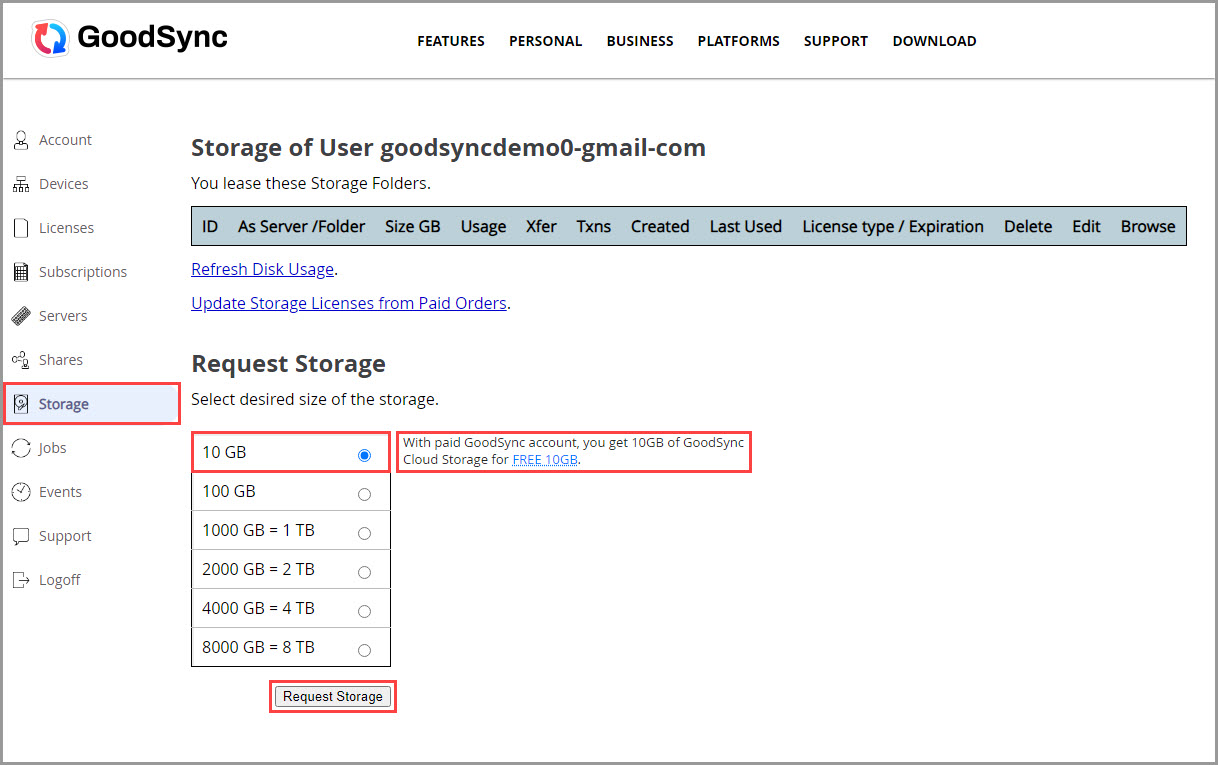
To start your free 15-day trial of GoodSync Storage (RealDisk Only Storage), simply log in to your GoodSync Account. In the "Storage" section, select 10 GB and request your free trial by clicking the "Request Storage" button.
How do I use my GoodSync Storage?
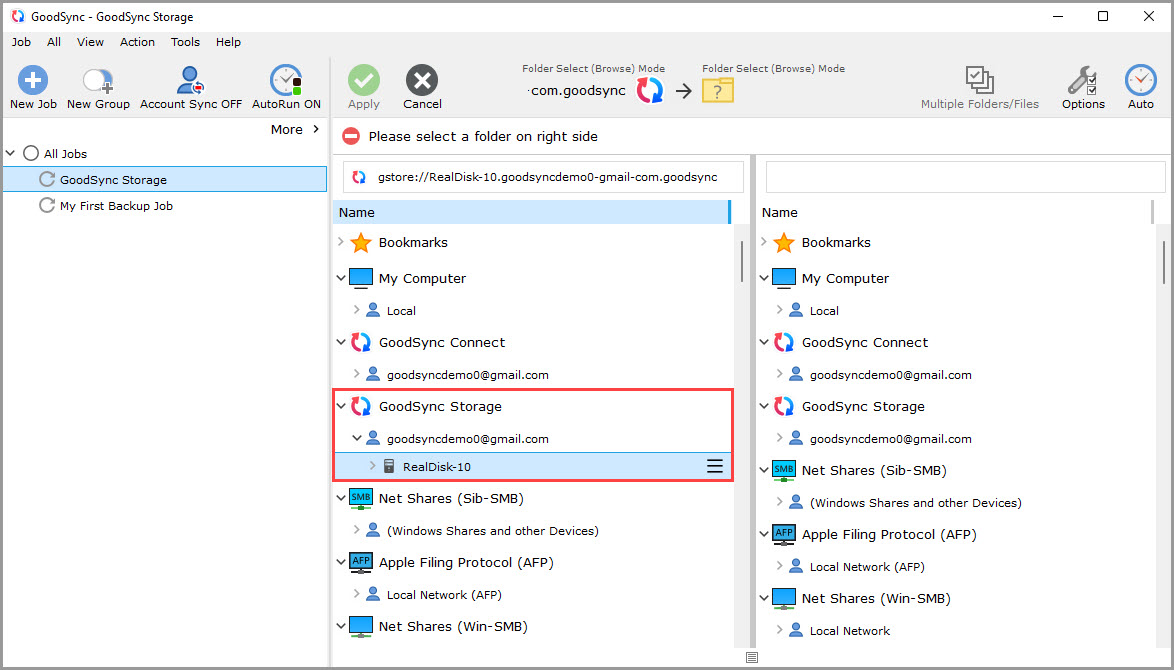
Once you have requested your free trial, GoodSync Storage will show up on the list of files and folders available for selection in GoodSync and the GoodSync Explorer app.
To use your storage with GoodSync, follow these steps:
1) Open GoodSync and select or create your Job.
2) Click the Left or Right Browse buttons to view the files and folders available for selection.
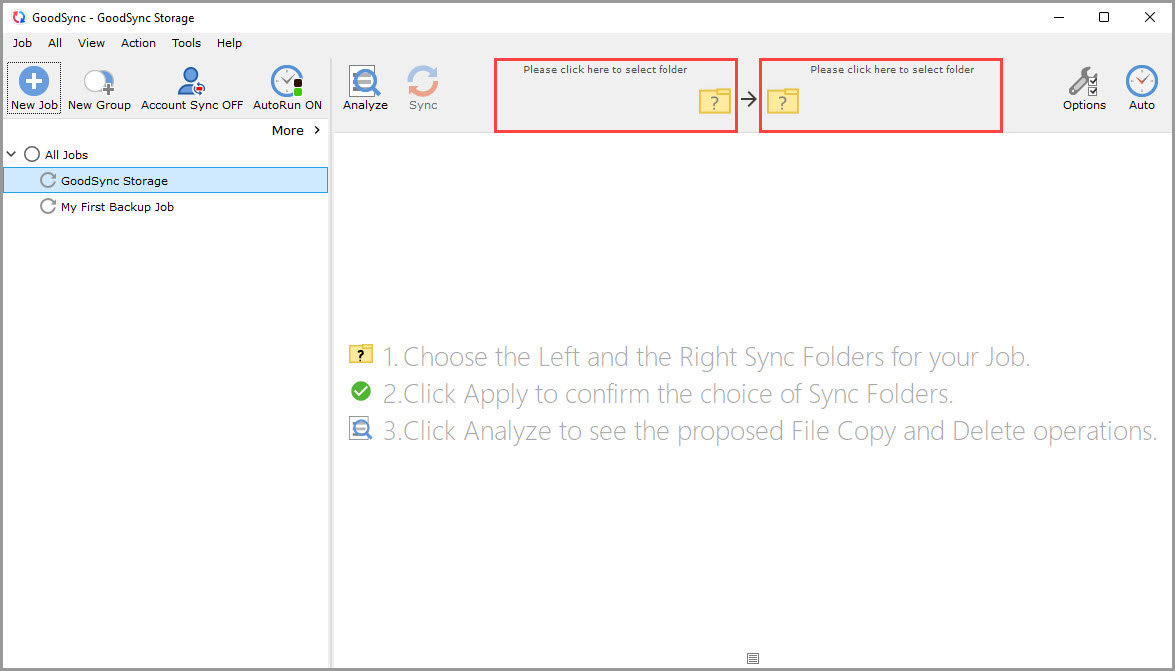
3) From here, you can select your new GoodSync Storage (RealDisk Only Storage) to be a source or destination in your backup and synchronization jobs.
NOTE: To configure the job with automation or other settings, click here.
How do I buy more cloud storage?
At any time before, during, or after the free trial, you can purchase GoodSync Storage (RealDisk Only Storage) on this purchase page.
NOTE: Purchasing additional storage will not increase your current storage capacity. Additional storage will appear as a new storage location to use.
Our pricing:
| Storage size | Price per year |
| 100 GB | $29.95 |
| 1000 GB | $109.95 |
| 2000 GB | $300.00 |
| 4000 GB | $550.00 |
| 8000 GB | $1100.00 |